Skip to content

News

What shipped, and what it changed

A post per firmware release — or per pair of releases that belong together — built from the repositories' own changelogs: the firmware's entry, then the entries of the daemon, interface and command line it newly carries. The headline and the picture are written; every item under them is the changelog's, so the post and the repository cannot disagree.

Follow by feed →   Every component's changelog →   What comes next →

Naming a VLAN greyed out Try it and Apply, and blamed the board

Type a word beside a VLAN number and the switch card said "this board cannot check a configuration before it is applied" — a line that was true of neither the board nor the layout. The daemon had refused the request over a corner of how it reads one, on every release since names existed. Fixed in the daemon, with a test that fails on the old code; and the card now repeats the daemon's own words when a request is refused, instead of a sentence that sends people looking at their board revision.
Two ways a board with no DNS failed to mention it

A static address came back from every reboot with no resolvers, because the stanza that rebuilds them carried a # the board's ifup read as a comment. And the firmware check said "nothing new" rather than "I could not reach anything", because the updater printed an empty list and exited 0. One reader found both, the day after v2.35.0 shipped, on a board that simply had no DNS. Boards the old stanza was already written to repair themselves.

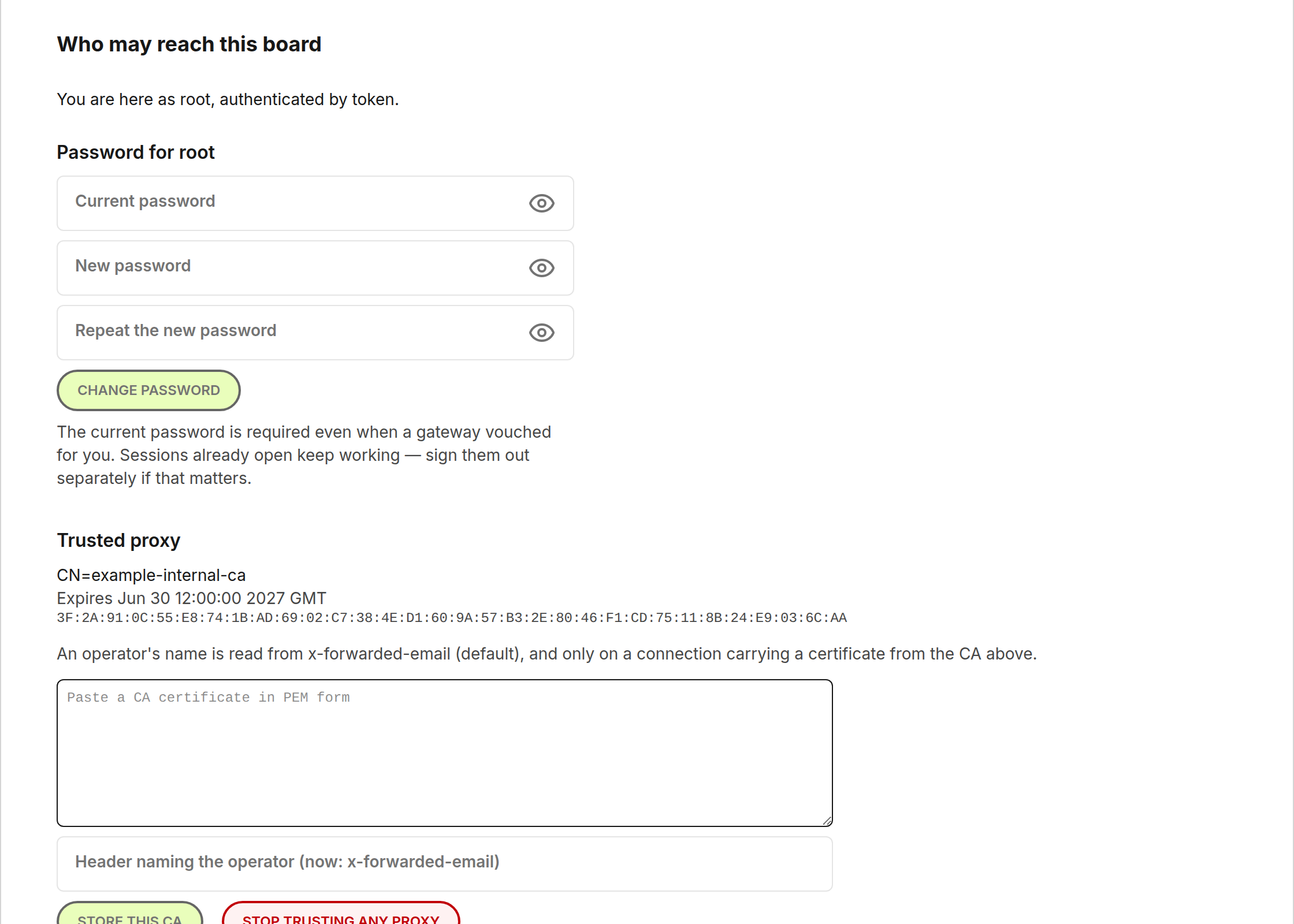
The password form could not be typed into, and nothing noticed

Three boxes that looked normal, focused normally, and refused every character — including on the page a board shows before it will do anything else, so a board on its factory password could not be taken off it from a browser at all. Reported by a user who worked it out and used SSH instead. The release also carries the gate that would have caught it: the interface's CI now types into every box of every tab.

The page now says what the board is doing while it installs

Installing from the Firmware tab took about half a minute of silence — a greyed button and nothing else — and a reader wondered whether to refresh. Now the button says Installing and a status line counts "about 26 s, now at N", measured on a real board like the reboot banner's number. Nothing is armed until the board says staged, and the page says that too.

A fixed address from the Network tab, and a clock that says why

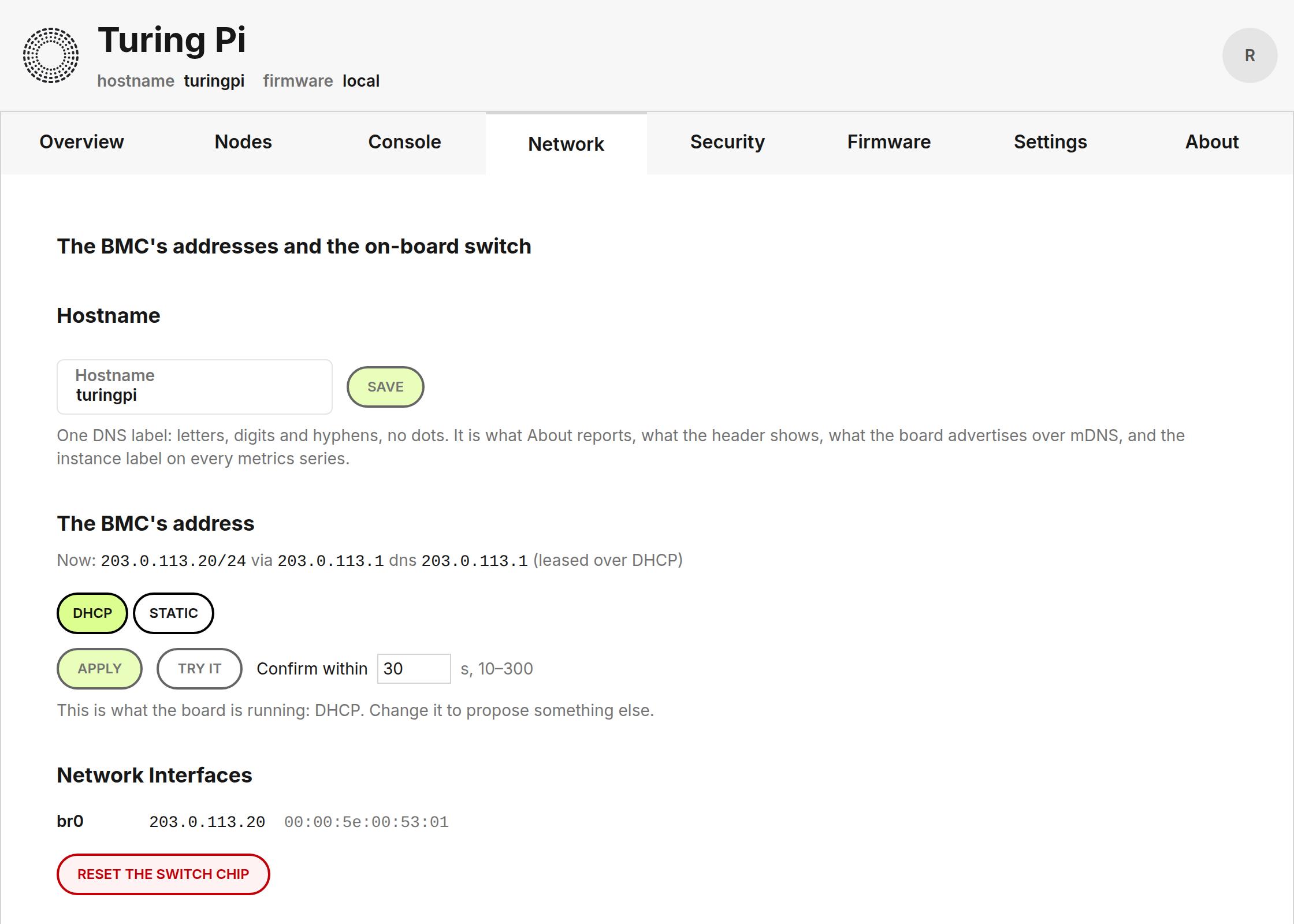
The BMC's own address — DHCP or static, with gateway and resolvers — from the Network tab, applied then confirmed at the new address so a typo cannot strand the board. The Time card lists every source with chrony's own verdict, including the one that sent a reader to Discord: a name the board could not resolve. And two 2.4 boards now run this firmware, one upgraded from the factory image in NAND.

The Network tab — the BMC's address beside its name, with the same apply-then-confirm as the switch.

The Network tab — the BMC's address beside its name, with the same apply-then-confirm as the switch.

The switch gets VLANs, the board asks for a password, and a module is one click

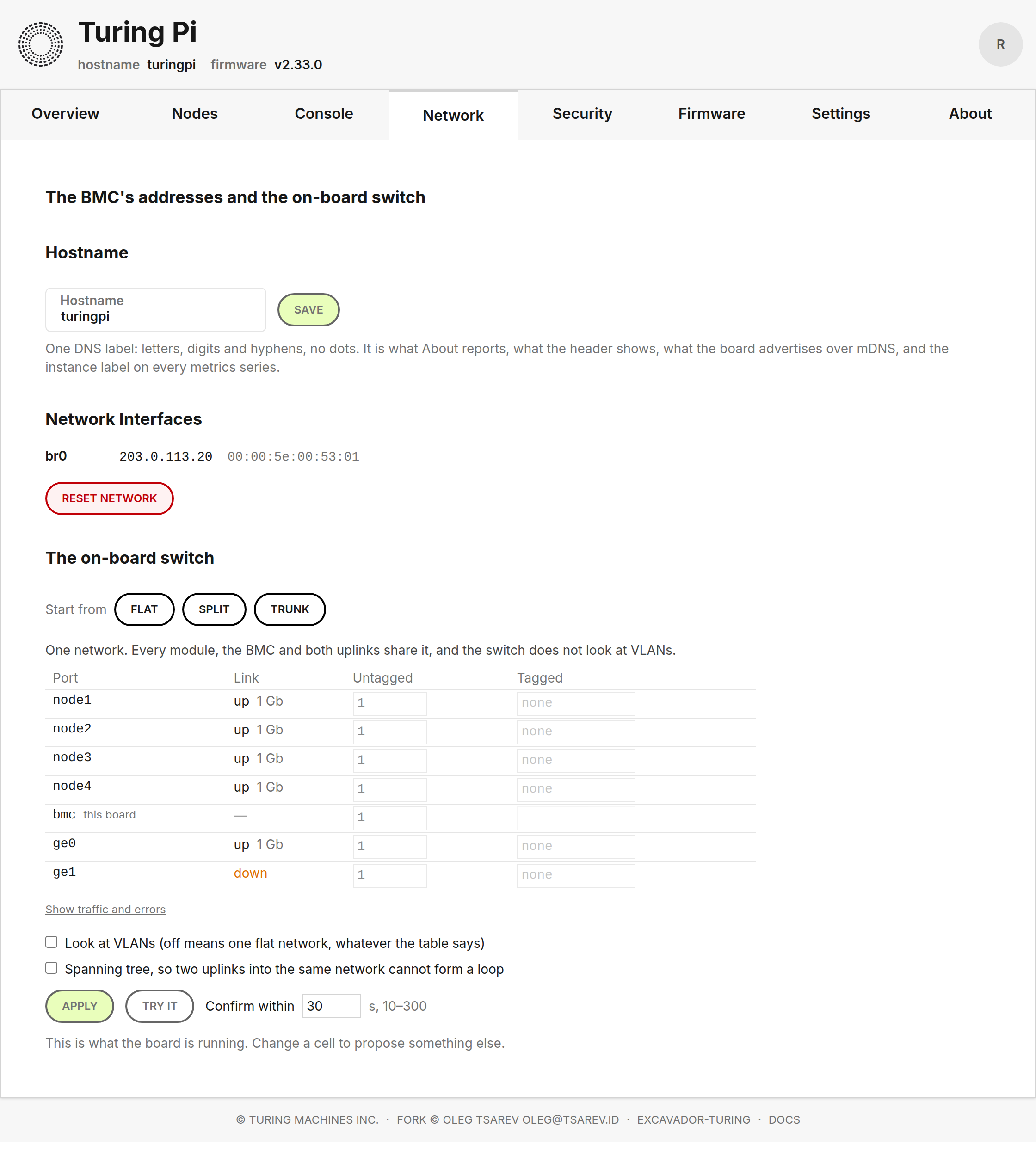
VLANs on the board's own switch, tried before they are kept; a certificate endpoint; a board still on the factory password now insists you change it before it will do anything else; and Console, USB and Flash pick a module with one click instead of a drop-down.

The Network tab — the switch as a table, a preset to start from, and Apply beside Try it, which undoes itself.

The Network tab — the switch as a table, a preset to start from, and Apply beside Try it, which undoes itself.